Every lead, auto-tagged by source
Forms, referrals, and paid ads land in one pipeline, labeled by where they came from. Stop guessing which channel works.
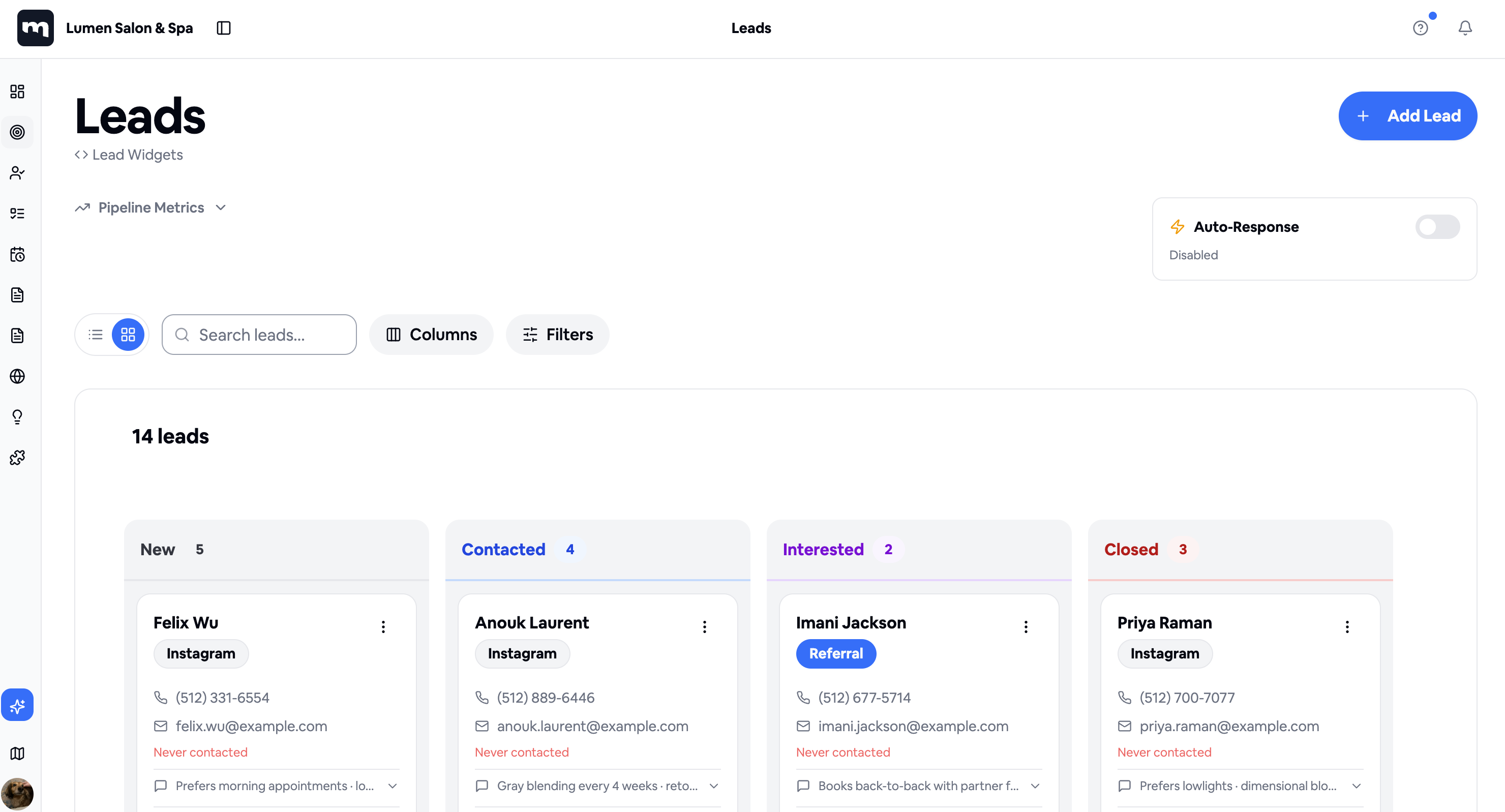
Auto-source tagging
Instagram, Google, Referral. Stamped on the lead.
Pipeline by stage
New, Contacted, Interested, Closed. Drag to advance.
Notes that travel
Preferences and follow-ups stick to the customer record.
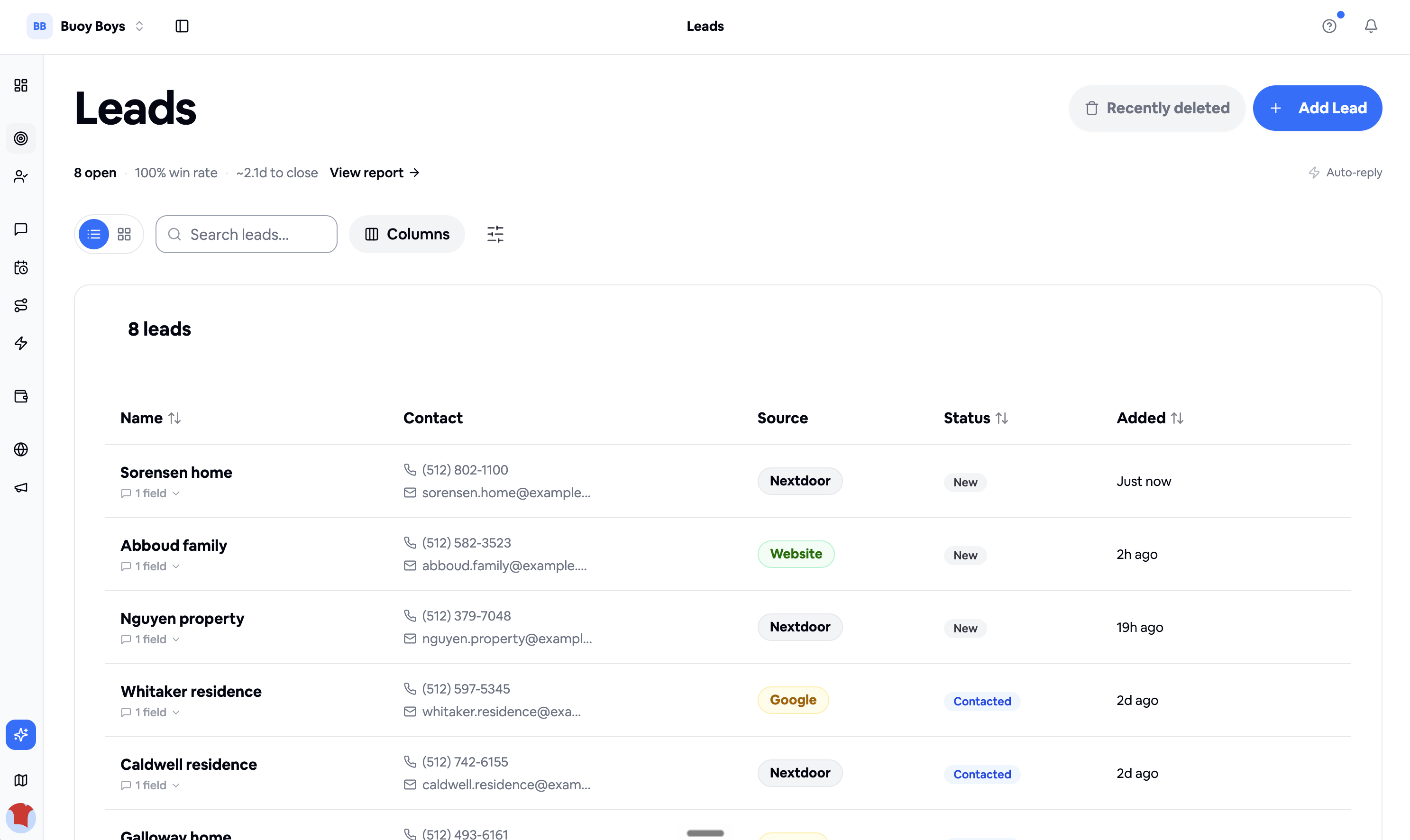
Or scan them as a sortable list
Prefer a table? Flip to list view to sort by source, stage, or date added. Every lead's contact info in a single row.
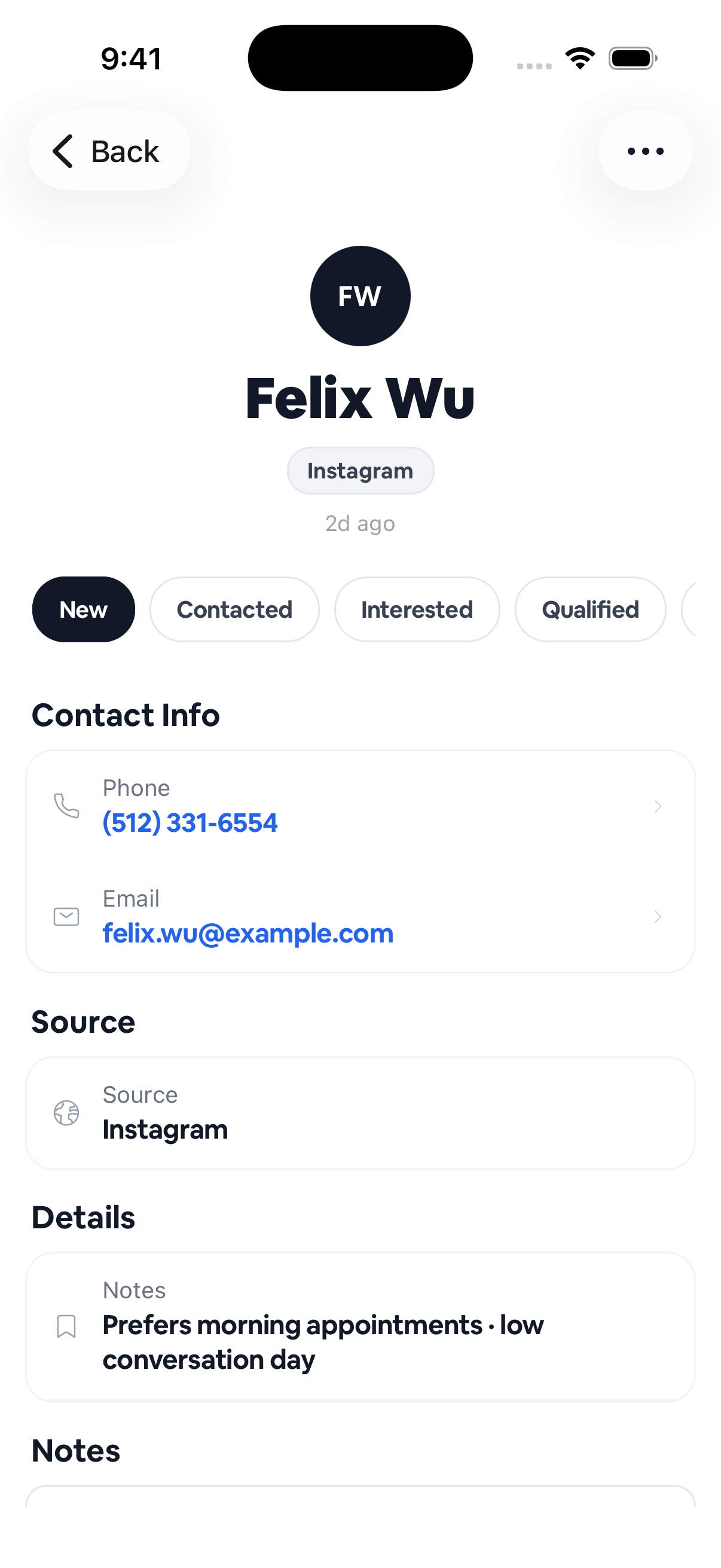
Know who you're calling before you dial
Source, contact info, and notes on one screen. Walk into the conversation knowing they prefer mornings.
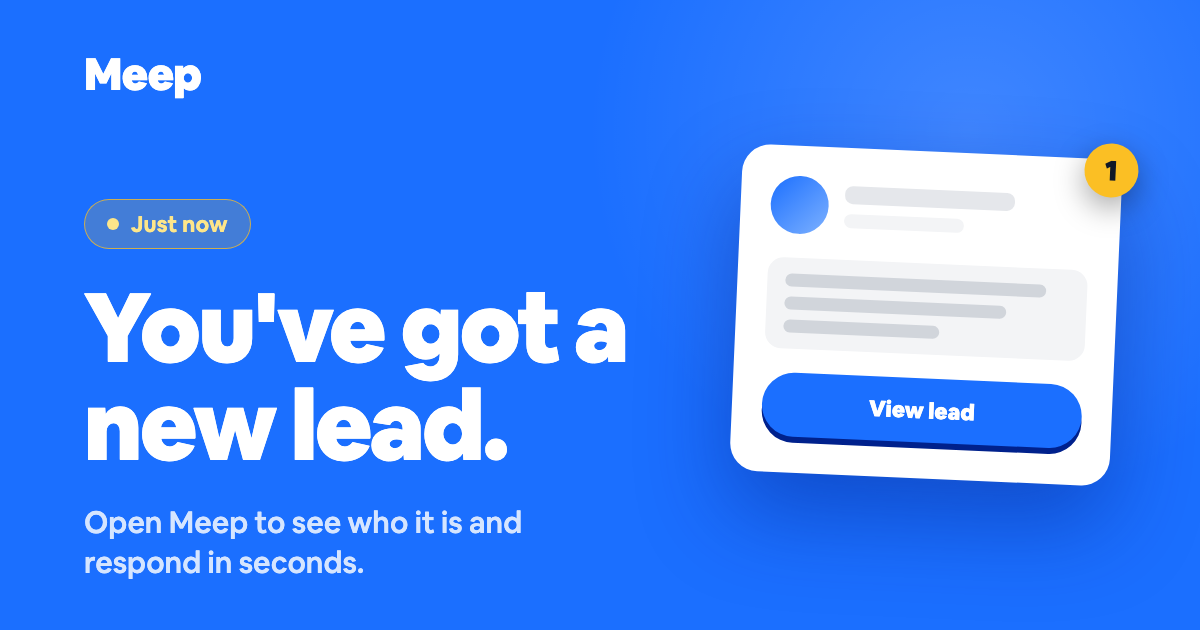
The second a lead lands, you know
Get pinged by push, text, and email the moment a new lead comes in, every channel opt in. The text and email arrive with a preview card, so you can see who it is and tap straight through to respond.
How it works
A lead lands
From your booking page, a referral form, or a paid ad. Every channel funnels in.
Auto-tagged by source
Meep stamps the channel and any UTM data on the lead. No manual entry.
You work the pipeline
Move them New, Contacted, Interested, Closed. The pipeline tells you where to focus.
Frequently asked
Where do leads come from? +
Anywhere you publish a Meep booking link, web form, or QR code. Paid ads pass UTM tags so you know which campaign delivered each lead.
Can I import leads from a spreadsheet? +
Yes. Bulk upload via CSV. Source and stage map during import.
Does Meep have automated lead nurture? +
Yes. SMS or email follow-up sequences live in the Marketing Tools module.
Which plan includes lead management? +
Lead management is included in Core ($39/mo) with a 30-day free trial.